

Why the safety line matters
Printed materials are usually made a little bigger than what the final product will be. They are then cut down to the exact size. The safety line sits inside the trim line, creating a buffer zone that keeps important content safe.
All content within the safety line is guaranteed to be on your printed product. Content outside this line may be cut off during the trimming process.
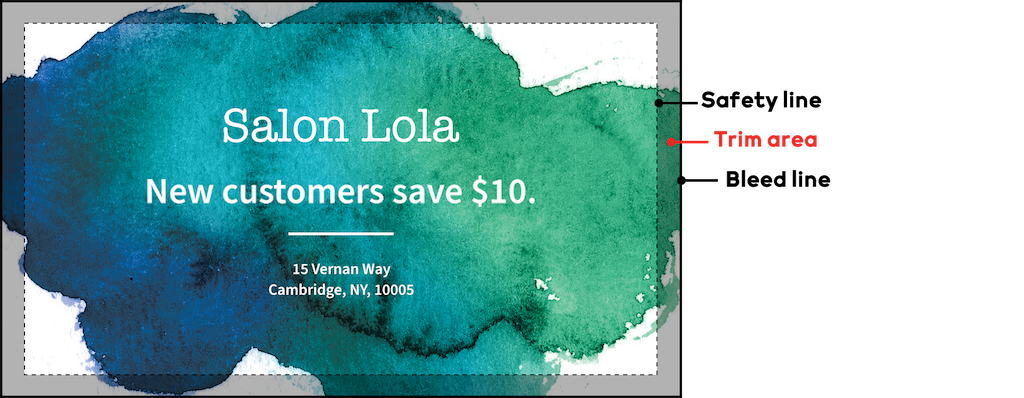
How to use the safety line
When designing your product:
Keep all text, logos and important details inside the safety line.
Extend background images and colours to the bleed line.
Avoid placing important elements close to the trim edge.
This ensures your design looks clean and professional once printed.

